BORNLI / product decisions
Approve the job hours before they reach the ledger
Collect hours against the right job, show the supervisor what changed and confirm delivery to the cost ledger. A saved entry and an approved allocation are different states.
When does a custom timesheet app make sense?
A custom mobile timesheet app makes sense when your existing system cannot reliably connect field hours, job codes and a supervisor’s approval. Start with that gap. A team that only needs standard time entry and approval may be better served by configuring an existing product.
Intuit’s Workforce documentation describes entering hours against a job or customer and reviewing individual timesheets before approval. Its approval documentation also describes locking approved time and returning time to an unapproved state before editing. Both sources were checked on November 15, 2026. They establish existing product capabilities, not a promise that every plan or integration supports your process.
This guide focuses on job-cost allocation: which job receives recorded hours and which version was approved. It does not calculate pay, decide overtime or assess employee performance. Task dispatch and completion evidence belong in the separate field-team app guide.
What should the person entering hours see?
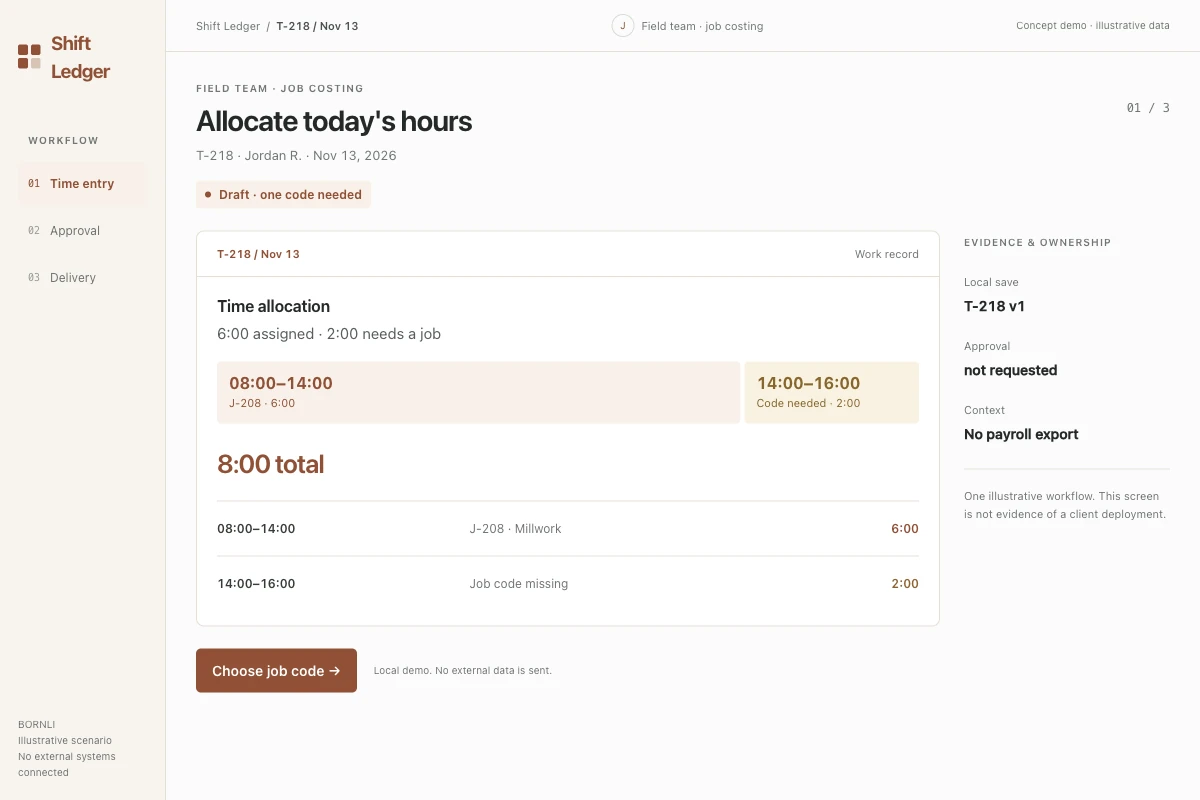
BORNLI concept demo — illustrative scenario. A contractor records time for November 13 in entry T-218. Jordan R. has six hours against job J-208 and two hours with no job code. The eight-hour total balances, but the allocation is not ready for approval. Names, jobs and records are fictional.
The first screen highlights the missing two-hour allocation rather than presenting a green total. Selecting J-213 fills that gap without changing the total. Use one time format consistently: an hour and a half is 1:30 in hours and minutes, or 1.5 decimal hours. It is not 1.30 decimal hours. The example does not prescribe working hours or break treatment.
A local save should retain the entry identity, author and version. If the connection fails, label the record as awaiting synchronization. Submission should not silently create a second timesheet or assign an arbitrary job to make the validation pass.
What exactly is the supervisor approving?
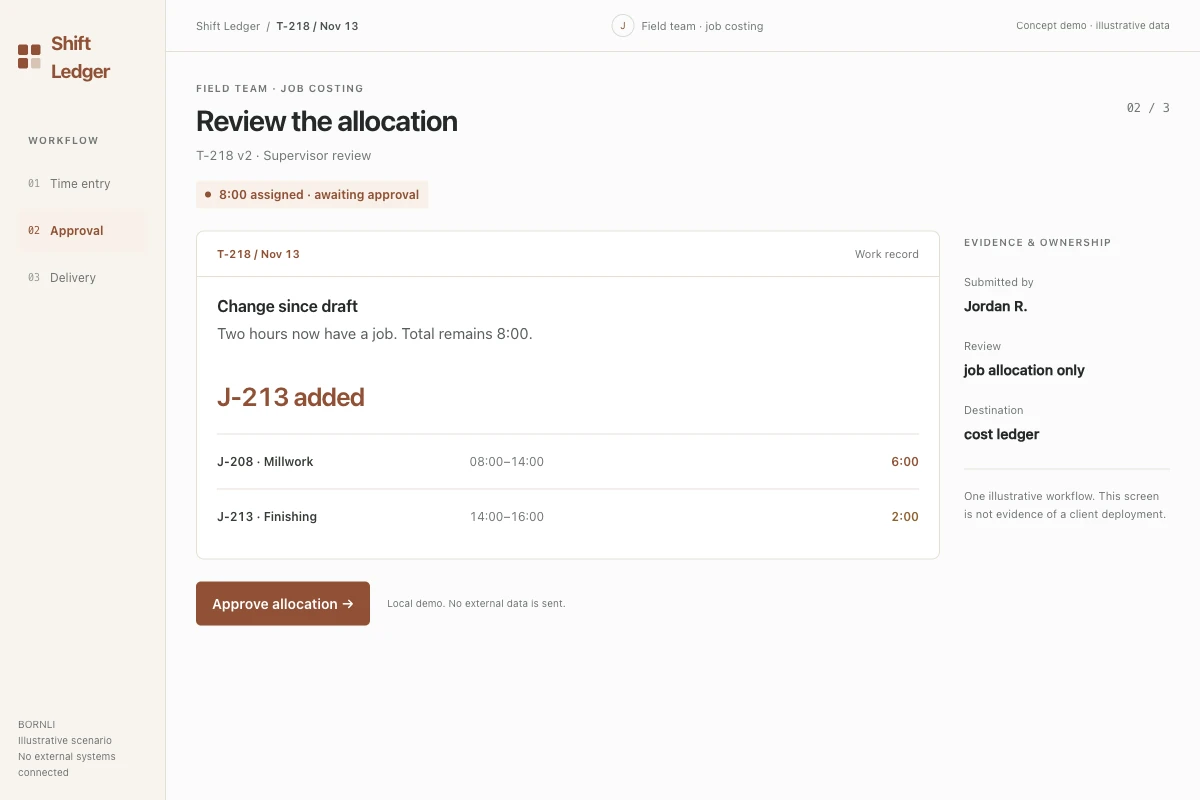
In T-218 v2, the two unassigned hours now belong to J-213. The supervisor sees six hours for J-208, two for J-213 and the change since the draft. The proposed approval locks this allocation version for the next handoff. It is not a payroll approval or evidence that anyone has been paid.
Give the reviewer a return path with a reason. An overlapping interval, missing job or closed job can require clarification; the app should preserve the worker’s original entry while the issue is resolved. A later correction to an exported record needs an explicit adjustment path with the before-and-after values. Do not overwrite the approved history and leave accounting to guess why totals changed.
How do you know the hours arrived once?
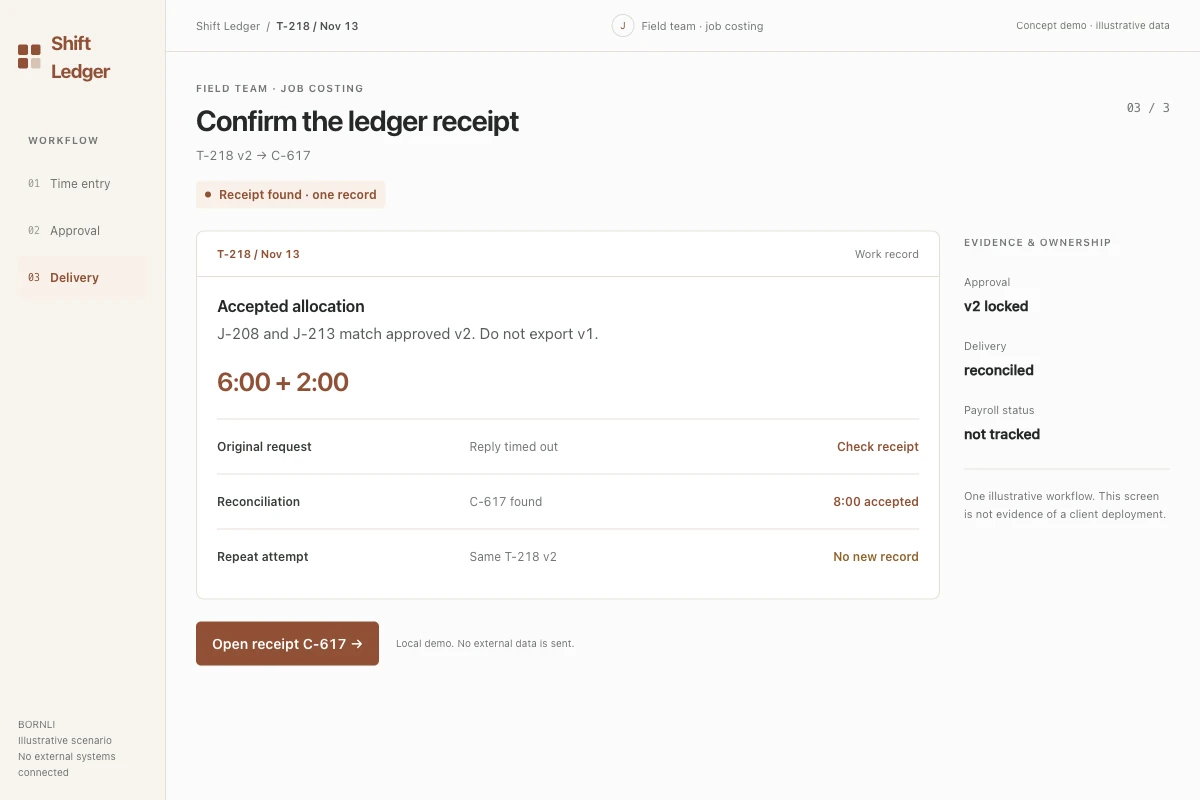
The illustrative export of T-218 v2 loses its response. Before sending another eight hours, the integration checks whether the destination already has that operation. It finds receipt C-617 with the same two allocations. The screen can now show a confirmed handoff without adding the hours again.
This is a proposed acceptance requirement, not a claim about any accounting API. The receiving system must support a reliable record lookup or an agreed reconciliation method. Otherwise, keep the operation in a review queue. A successful network request alone is not proof that the intended approved version became the correct cost record.
What belongs in the first pilot?
Start with one crew, one approval route and one destination. Bring redacted examples of an ordinary entry, a returned entry and a correction after export. Confirm job ownership, permissions, the accepted time format and the rules for closed periods with your team.
- Check that six assigned hours plus two unassigned hours cannot look fully approved.
- Test a duplicate tap, a connection loss and an approval made while someone is editing.
- Confirm that export uses the approved version and that a lost reply does not duplicate hours.
- Reconcile a correction without erasing the original receipt.
Measure unassigned-hour volume, review time, correction frequency and the age of unsynchronized entries. The concept contains no measured savings and no live accounting connection. Scope, access and exception handling determine the project estimate. Use the build-or-buy fit test before commissioning a custom layer.
Map the workflow before building it.
Tell us what your team handles manually, which tools you use, and where the process gets stuck. Start by email.
Discuss your workflow ↗