BORNLI / product decisions
A field-team app that keeps the handoff intact
Give the next technician the job history, evidence and current assignment. Keep a saved-on-device report separate from a confirmed team handoff.
Do you need another field app?
A field-team mobile app should help one technician hand a job to another without losing evidence or applying an outdated status. Start with the awkward handoff in your existing process, then decide whether configuration or a small custom layer can fix it.
Microsoft documents offline sync and conflicts in Dynamics 365 Field Service, including an administrator-controlled conflict policy. That does not mean every setup preserves a handoff the way your team needs. Test your actual mobile configuration before commissioning another app. The concept below proposes its own review behavior; it is not a Dynamics screenshot.
What does the next technician need?
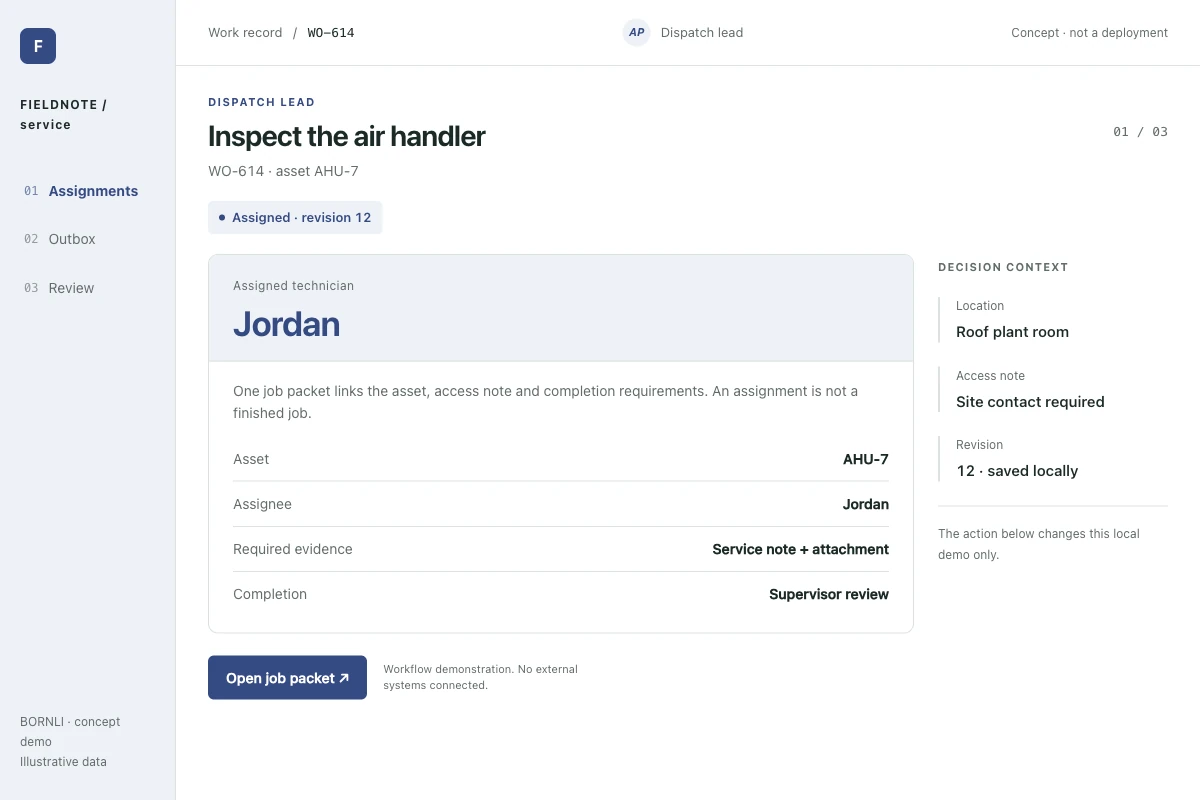
BORNLI illustrative scenario. WO-614 concerns ventilation unit AHU-7. Jordan has the assignment, a symptom note and a checklist. Morgan may take over later. All people, assets and records are synthetic; the screens show a local concept demo, not a deployed customer tool.
The assignment should identify the current owner, server version and unfinished checks. A technician should not have to infer completion from a photograph or a green badge. Keep safety procedures and emergency escalation in the customer's approved process.
What does saved mean without signal?
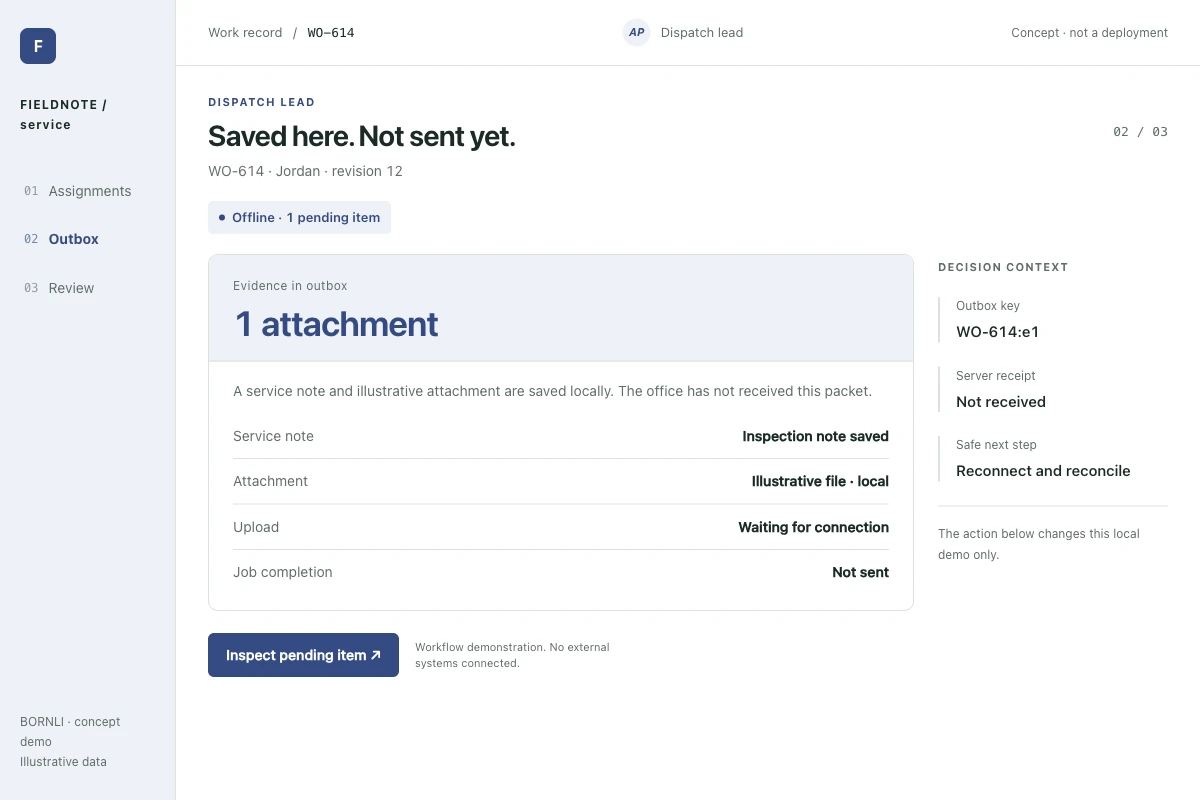
Jordan saves a note and an illustrative attachment while offline. The app says “Saved here. Not sent yet.” and shows one pending evidence upload. It does not say “Team updated.” The next technician cannot rely on evidence that has not reached the server.
Store a durable local operation identifier and show the evidence timestamp separately from upload time. On reconnect, confirm that the record and attachment are both accepted. A failed image upload must remain visible even when the note succeeded.
What if dispatch already reassigned the job?
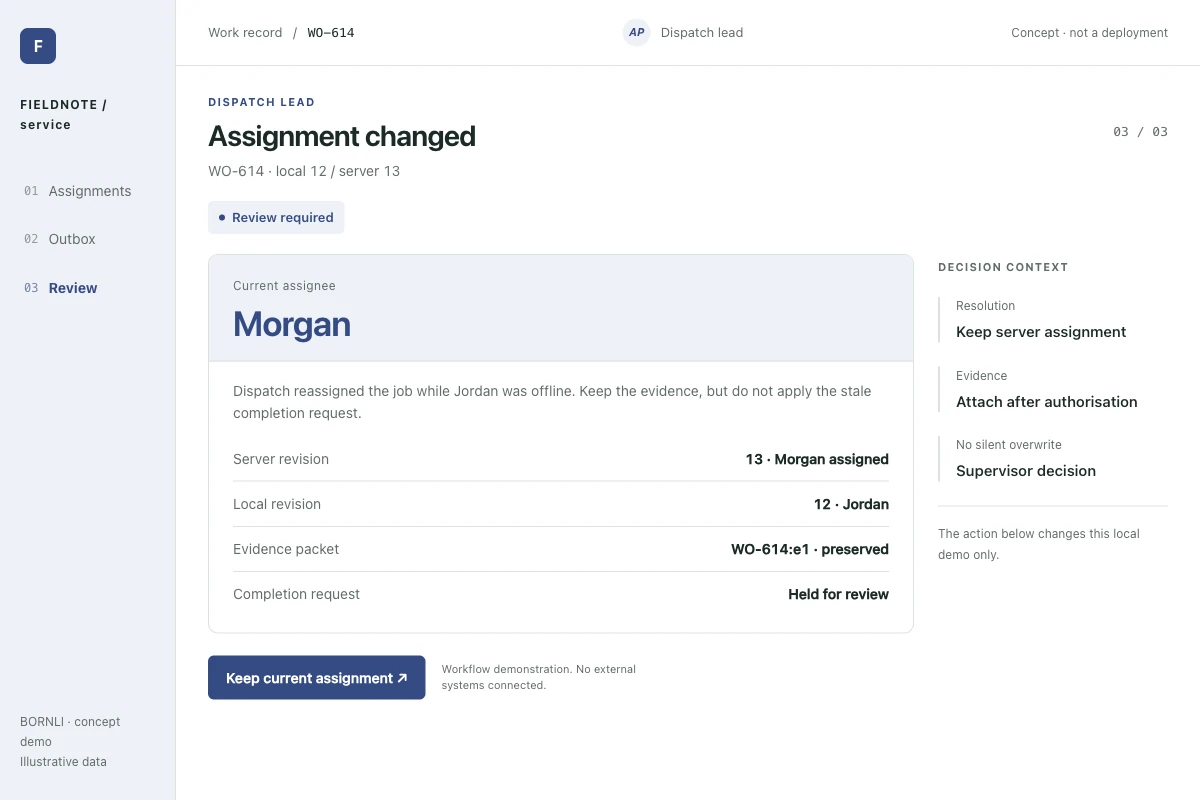
While Jordan was offline, dispatch assigned WO-614 to Morgan and advanced the server version from 12 to 13. In our proposed workflow, Jordan's old completion action is held for review. The captured evidence can be attached after authorization, while Morgan's assignment remains intact.
Show both versions and the changed field. Offer “Keep current assignment,” then attach evidence after server-side authorization; do not silently overwrite Morgan's work. A retry checks the same upload identifier before creating another attachment.
What should the first pilot prove?
Choose one team, one job type and one system of record. Test an interrupted upload, repeated retry, reassignment during an outage, expired access and a missing attachment. Agree who resolves each exception and how long pending work remains on the device.
Measure missing evidence at handoff, duplicate records, reopened jobs and time spent clarifying status. Compare similar work, not a busy week with a quiet one. No productivity gain has been measured in this demo.
If your problem starts before dispatch, see AI maintenance triage. If it starts at a warehouse location scan, see warehouse mobile exceptions. For this pilot, bring a redacted work order and describe the handoff that currently fails.
Map the workflow before building it.
Tell us what your team handles manually, which tools you use, and where the process gets stuck. Start by email.
Discuss your workflow ↗