BORNLI / product decisions
Warehouse mobile apps: design for the short pick.
When a pick line asks for 12 units and the shelf holds eight, the app needs a clear next step—not a false confirmation.
Mobile tools / warehouse operations
The useful app handles the missing four units.
A warehouse mobile app should help a picker confirm the location, record what is physically available and resolve a discrepancy without losing the task. If a line asks for 12 units and the shelf holds eight, a successful barcode scan is only the beginning. The app must preserve the eight found, the four missing, the reason and the next person responsible.
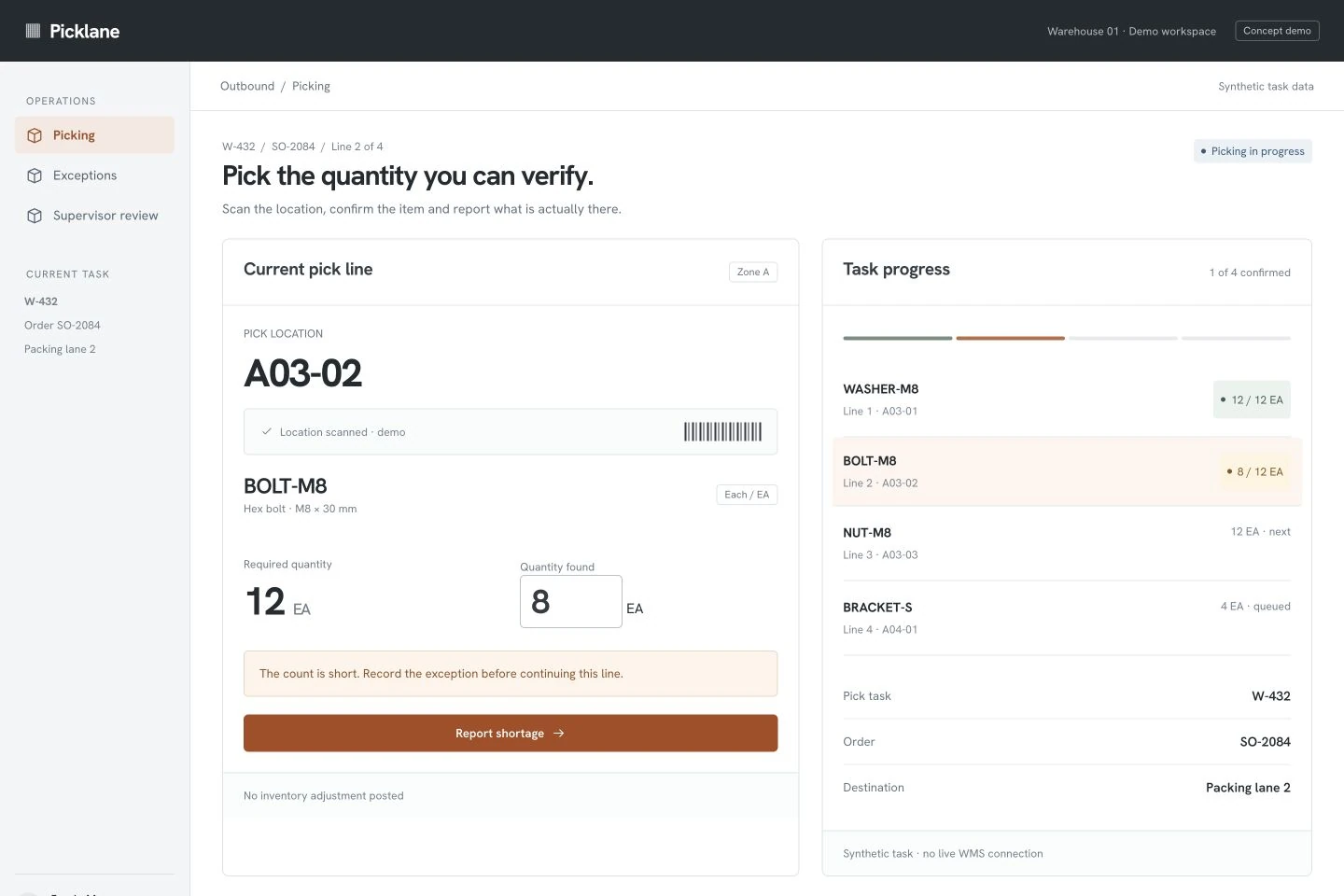
Illustrative scenario: BORNLI built the Picklane interface shown here as a concept demo. Task W-432, order SO-2084, item BOLT-M8 and all stock quantities are synthetic. The demo is not connected to a warehouse-management system (WMS), does not change inventory and does not represent a client implementation.
Start by checking what your current WMS already supports. A custom mobile interface is worth considering when a specific picking or exception workflow remains awkward—not simply because the existing screen looks dated.
Check the existing exception workflow before building another one.
Microsoft's Dynamics 365 work-exceptions documentation describes a mobile short-pick flow that records the quantity and reason and creates an exception for the location. Its reallocation documentation distinguishes automatic and manual options; manual reallocation also depends on worker permission.
These are capabilities of the named Microsoft product, not features already integrated by BORNLI. They illustrate an important scoping question: is your gap in the operator's interface, system configuration, stock data or the handoff to a supervisor? A new app cannot fix all four by changing the screen.
If the current platform can support the required process through configuration, test that route first. If custom work remains necessary, let the inventory system retain authority over stock and reservations while the mobile layer makes the operator's task clearer.
Keep quantities and units explicit.
In the concept, the picker scans location A03-02 and works on BOLT-M8. The required quantity is 12 EA; the count found is 8 EA. The short quantity is therefore 4 EA. Every number uses the same unit. A case-to-each conversion, if required by another product, would need its own verified rule.
The useful exception record contains the task and line identity, item, location, expected quantity, reported quantity, unit, reason and operator. Keep the original requirement alongside the reported count. Replacing “12” with “8” everywhere hides the discrepancy instead of resolving it.
The interface should reject impossible input and expose what is still unconfirmed. It should not treat a shortage report as permission to substitute another SKU, invent available stock or mark the whole order complete.
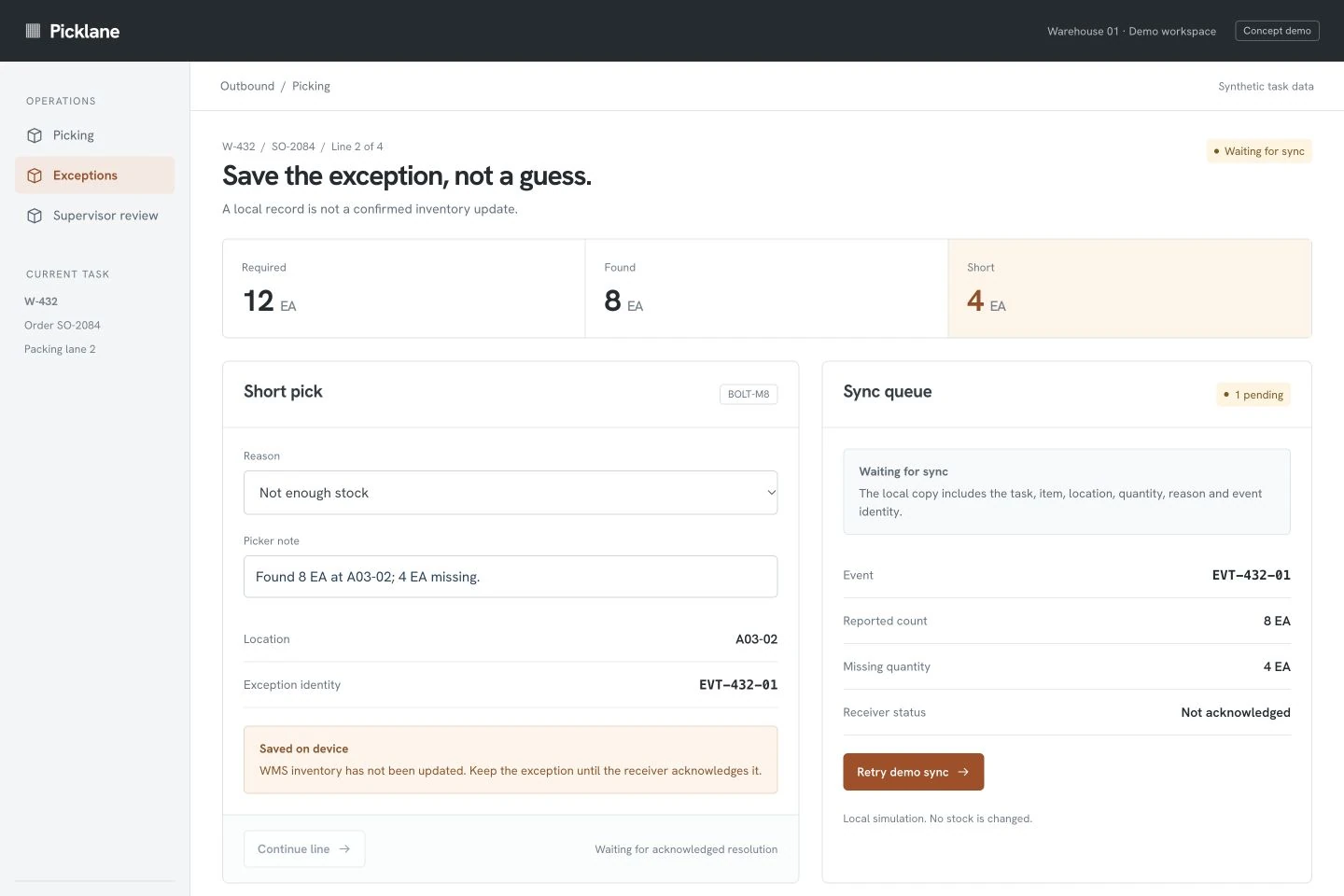
Saved on the device is different from accepted by the WMS.
The second screen holds exception EVT-432-01: eight found, four short, reason “Not enough stock.” Its status is waiting for sync. The operator can see the local record, but WMS inventory has not been updated.
If local or offline capture is part of your scope, agree exactly which actions can wait and which require a live response. A queued note may be acceptable; issuing a new stock reservation from stale data may not be. Keep unsent work visible and provide a recovery route after device restart or reconnection.
For the real connector, define a stable event identity and reconciliation behavior. After a lost response, check whether that event was accepted before submitting a duplicate. The local demo simulates an acknowledgment; it does not prove compatibility with any WMS API.
Resolve the shortage without guessing the stock.
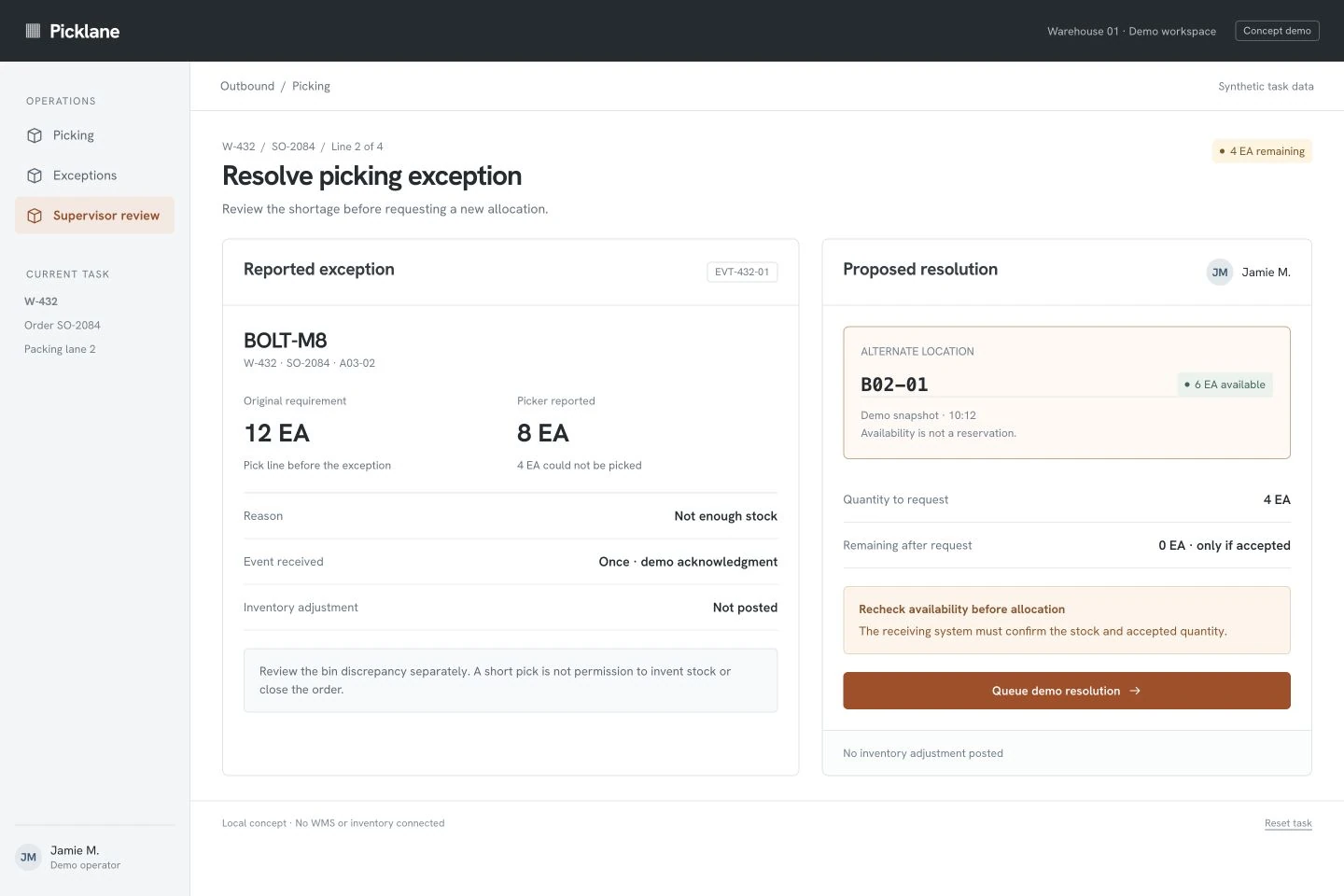
The supervisor sees the original requirement, the reported count and the missing four units. Alternate location B02-01 shows six units in a demo snapshot. That snapshot is not a reservation. The receiving system must recheck availability and confirm the accepted quantity before the worker is sent to pick the remainder.
The concept proposes requesting the remaining four units. It keeps this decision separate from any stock adjustment at the original bin. Your actual process may instead require a recount, replenishment, a partial shipment or another reviewed resolution. Define who can choose each path and how the WMS records it.
When the demo resolution is queued, it remains awaiting WMS acknowledgment. It does not claim that stock was reserved, inventory changed or a shipment completed. That distinction should remain clear in the production interface.
Test one complete exception before expanding the app.
A useful first scope is one picking workflow, one exception type, one operator role and one supervisor route. Include an acknowledged round trip into the existing system. A polished scan screen alone leaves the expensive uncertainty at the integration boundary.
| Test | Required behavior to agree before implementation |
|---|---|
| Wrong item or location scanned | Explain the mismatch and block confirmation of the wrong line. |
| 12 EA required, 8 EA found | Preserve both values, calculate 4 EA short and record the reason. |
| Connection lost after submission | Reconcile the same event identity; do not silently create a second exception. |
| Alternate stock changes | Refresh availability and keep the allocation pending until acknowledged. |
| Worker lacks approval rights | Keep the exception visible and route it to the permitted supervisor. |
| Device restarts with unsent work | Recover or clearly flag the queued event according to the agreed storage design. |
Measure exception age, repeated data entry, duplicate events and unresolved discrepancies during a pilot. Compare similar tasks and note changes in stock quality or staffing. These are proposed measurements; this concept has no measured productivity result.
To estimate the work, bring your current WMS, a sample pick task, barcode formats, units of measure, device models and the resolution paths you allow. If the upstream problem is turning emailed purchase orders into drafts, our AI order-processing guide covers that separate workflow. Discuss a warehouse mobile workflow with BORNLI.
Map the workflow before building it.
Tell us what your team handles manually, which tools you use, and where the process gets stuck. Start by email.
Discuss your workflow ↗