BORNLI / product decisions
AI maintenance triage for property managers
A practical first AI project: structure the resident request, keep uncertain details visible and confirm the handoff to your maintenance system.
AI / property operations
Start with the request, the owner and the next action.
AI maintenance triage can turn a resident's message into a structured draft, highlight missing details and send it to the right person for review. The useful first project is a dependable handoff into your existing maintenance process: preserve the message, make the priority decision visible and confirm that the receiving system accepted the work order.
It is a good candidate when dispatchers repeatedly read the same kinds of requests and re-enter their details. If the team cannot agree who handles an exception, define that rule before automating it.
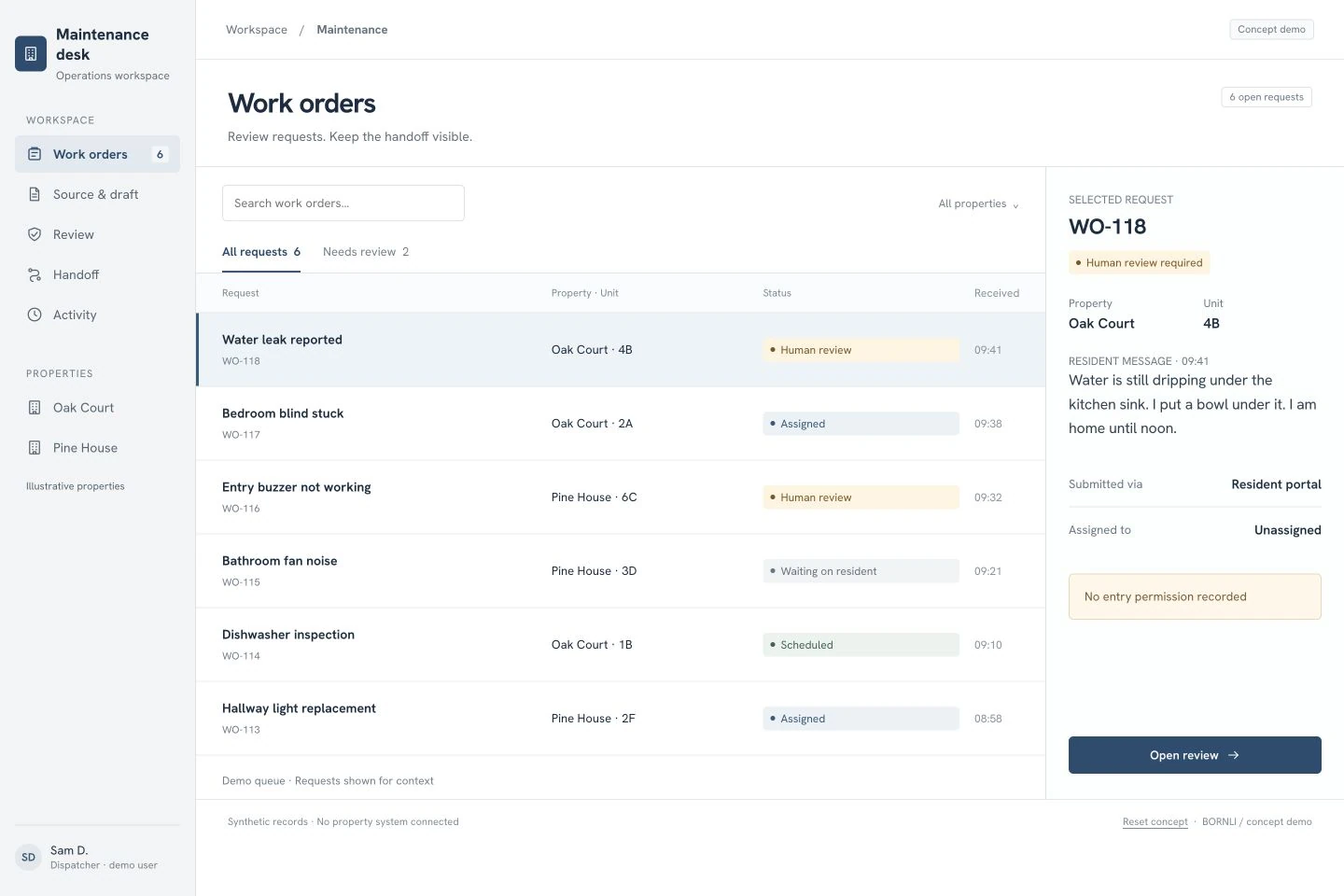
Illustrative scenario: we built the interface below as a BORNLI concept demo. Oak Court, its residents, staff, work orders and timings are synthetic. There is no connected property-management system or measured customer result.
What the Student Quarters example actually shows
In its published Student Quarters case study, EliseAI reports 533 maintenance hours saved in Q1 2025. The case also describes adapting instructions to individual properties. That preparation matters: the same message can require a different route at a different building.
This is a vendor-reported result for Student Quarters, not an independently audited benchmark or a BORNLI result. It does not establish what a smaller pilot would save. Our concept below addresses a narrower task—request triage and a reviewed work-order handoff—and does not reproduce the case's resident self-service repair advice.
Keep the source beside the AI draft.
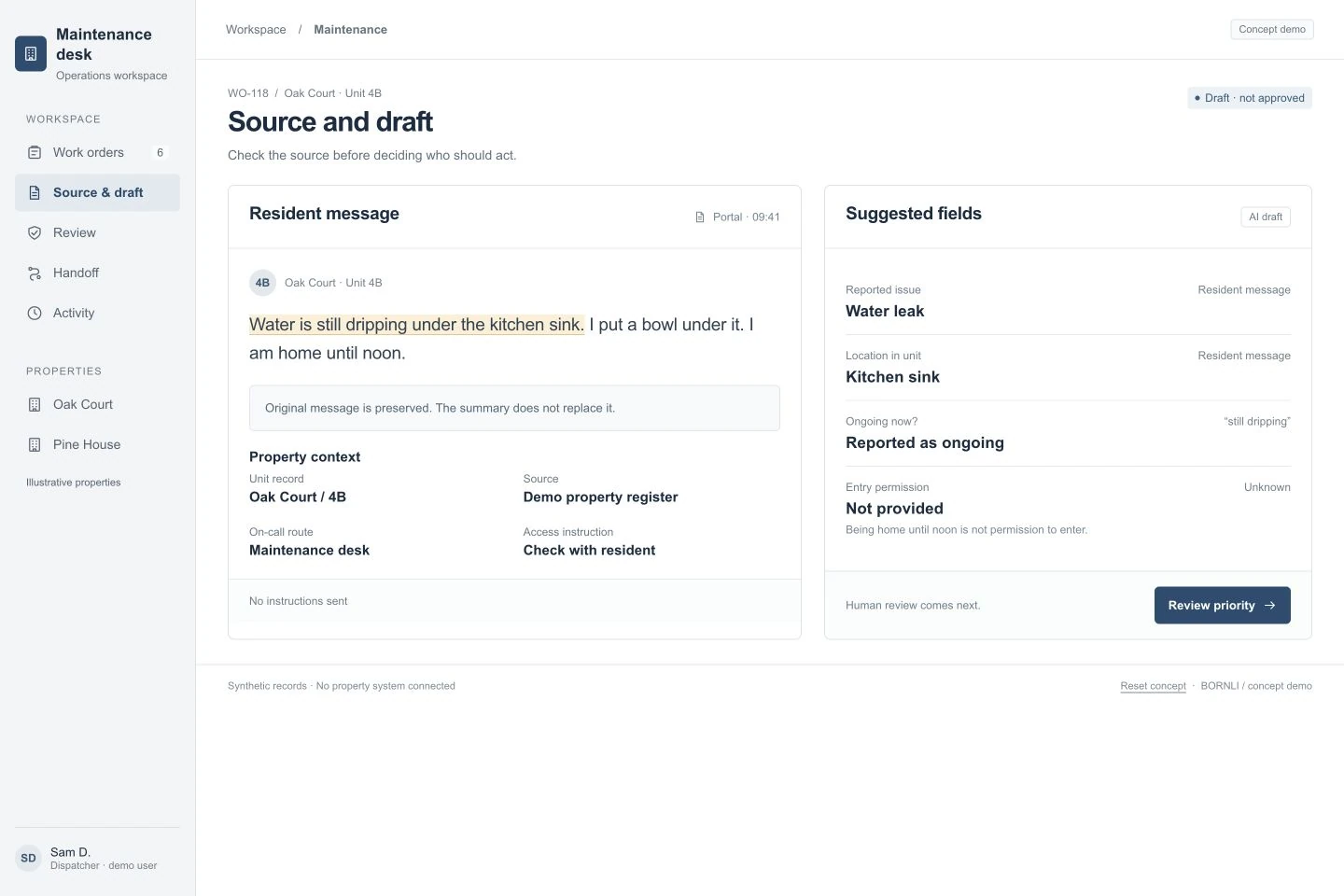
In the demo, request WO-118 concerns water dripping under a kitchen sink in Oak Court, unit 4B. The message says the resident is home until noon. The proposed draft records the reported issue and location, but leaves entry permission unknown. Availability is not permission.
Each field needs a source: the resident message, a verified unit record or a staff decision. The interface should distinguish “reported by resident” from “confirmed by staff.” A model summary is useful for scanning; it should not overwrite the original message or quietly turn an assumption into a fact.
For a first pilot, limit extraction to a small set of fields your dispatcher already uses: property, unit, reported issue, location within the unit, resident contact preference and missing information. Leave uncertain values unresolved rather than inventing a complete-looking record.
Make escalation a reviewable decision.
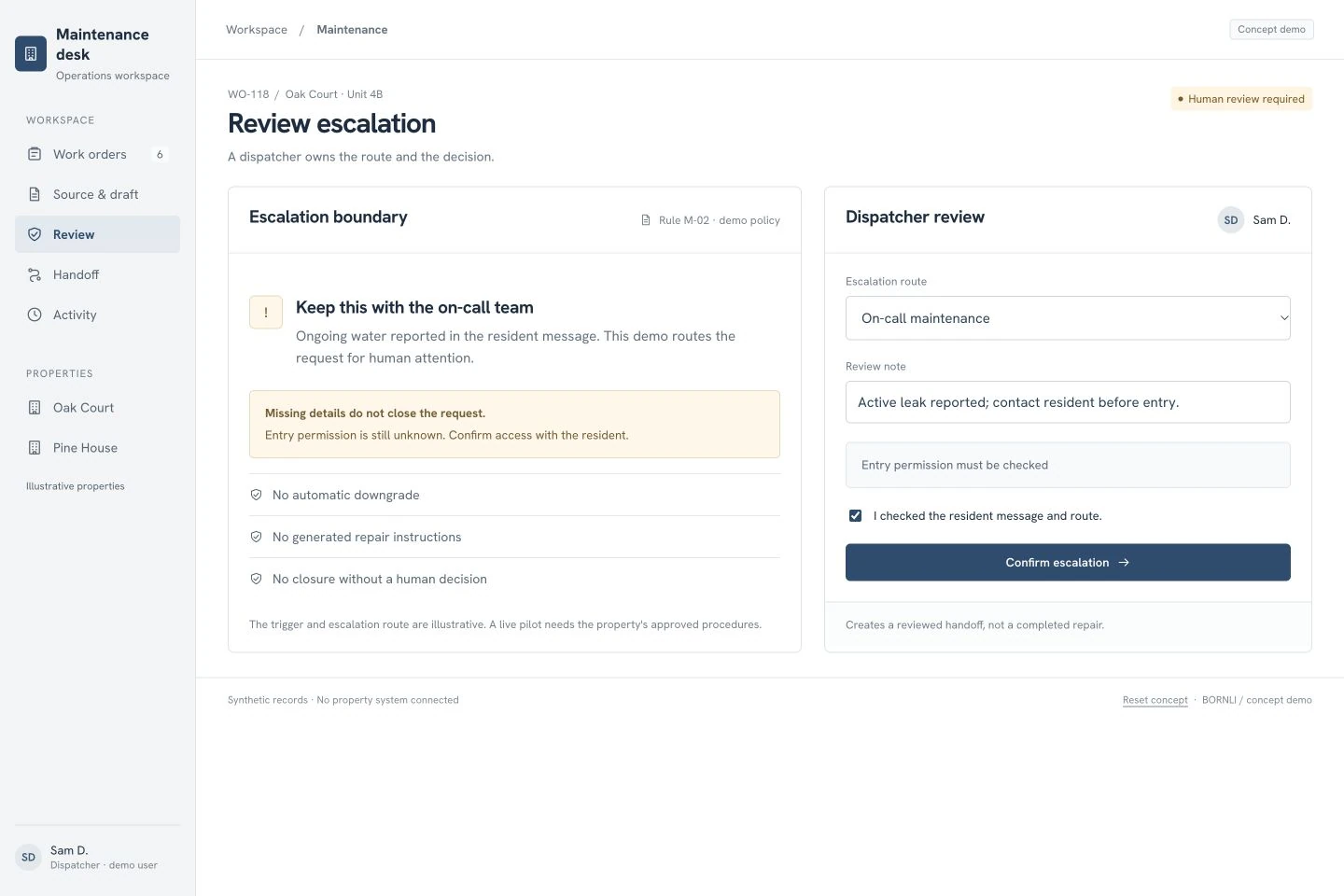
The demo flags the ongoing water report for the on-call team under an explicitly illustrative rule. A dispatcher checks the message and confirms the route. Entry permission remains unresolved and visible in the handoff.
Missing details must not silently close or downgrade a potentially urgent request. Design the live process around the property's approved escalation procedures and an accountable human owner. The pilot should not generate instructions for residents to repair electrical, gas or other potentially hazardous problems. It should expose the uncertainty and route the request.
The review record needs the source, selected route, reviewer and time. If a reviewer changes the AI suggestion, retain that correction. Those disagreements are useful evidence for improving the rules; hiding them behind a single “AI confidence” score makes the system harder to assess.
A timeout is not a delivered work order.
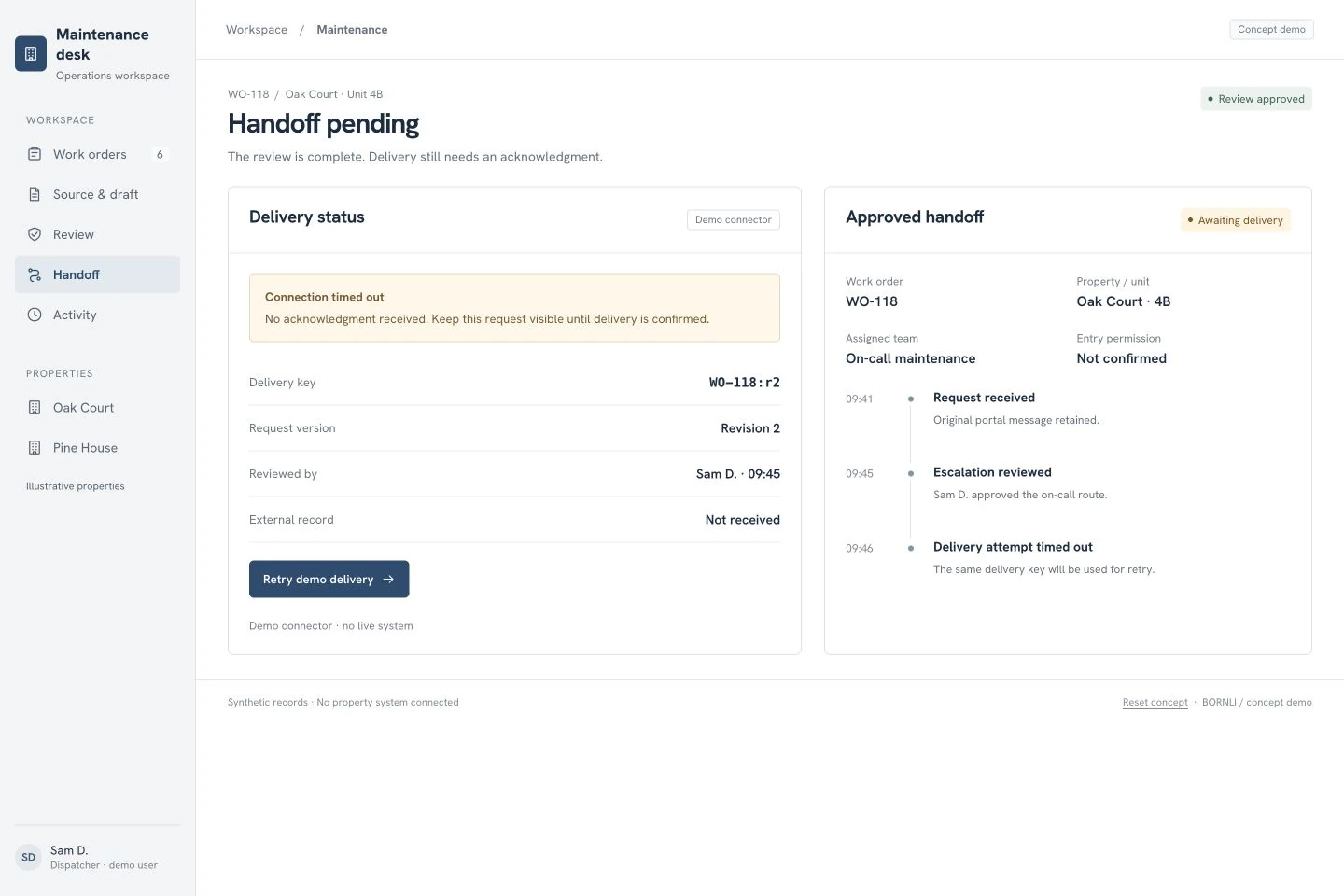
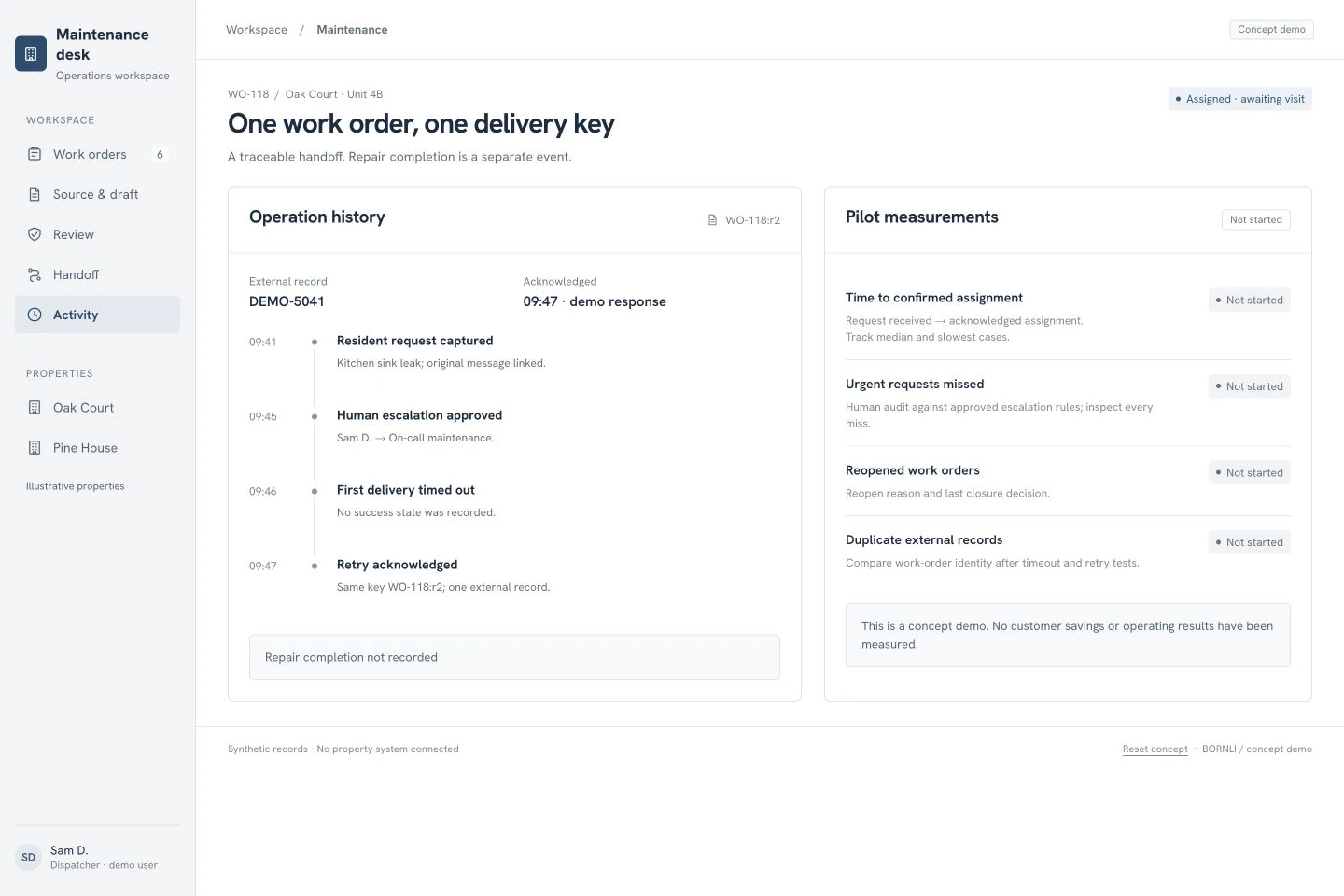
After review, the demo sends revision 2 with the stable delivery key WO-118:r2. Its first attempt times out. The screen says “Handoff pending,” retains the reviewed record and provides a retry. It does not claim that the technician has received anything.
In a live integration, agree how the receiving system identifies an existing work order before implementing retries. A timeout can mean the request was accepted but the response was lost. Check for the existing record or use the receiver's supported duplicate-prevention mechanism; simply posting again can create two jobs.
Our local demo simulates an acknowledgment as DEMO-5041 on the same delivery key. It is a demonstration of the intended behavior, not evidence of a working connector. Test the real adapter with timeouts, late acknowledgments, rejected fields and repeated clicks before enabling unattended delivery.
Measure the handoff separately from the repair.
The final demo state is assigned, awaiting visit. An accepted work order is not a completed repair. Keep arrival, repair completion, resident confirmation and reopening as separate events if your operating process needs them.
The proposed benefit is less repeated reading and re-keying, with clearer ownership of exceptions. That is a mechanism to test, not a measured saving. The concept's measurement panel deliberately says “Not started.” It contains no invented ROI or customer-performance chart.
| Measure | How to evaluate it in a pilot |
|---|---|
| Time to confirmed assignment | Measure from first receipt to acknowledged assignment. Inspect slow cases as well as the median. |
| Urgent requests missed | Have staff audit requests against the approved escalation rules. Review every miss individually. |
| Corrections and missing fields | Track which draft values staff changed and why; separate absent source data from extraction errors. |
| Duplicate or reopened work orders | Trace each one back to its source request, delivery attempts and closure decision. |
A useful pilot has failure cases, not just a happy-path demo.
Begin with a bounded set of anonymized historical requests, one intake channel and one property's reviewed procedures. Run the draft alongside the existing process before allowing automatic write-back. Assign an operations owner who can decide whether the suggested fields and routes were appropriate.
- Unknown unit: the request stays in a visible review queue; the model cannot invent a matching resident.
- Potentially urgent issue with incomplete details: it remains visible to the designated human route while clarification is pending.
- Resident sends the same request twice: the reviewer can inspect the original messages and the proposed duplicate link.
- Connection fails after submission: retry is reconciled against the same work-order identity.
- Assignment changes: the previous owner, new owner and reason remain in the history.
- A repair is not confirmed: assignment acknowledgment alone cannot close the request.
First check whether your current property-management or maintenance platform already covers these steps. Custom work makes sense when a specific gap remains—for example, intake spread across channels, building-specific review rules or an incomplete handoff between two systems. It should not recreate a capable existing work-order system.
For a broader sales inbox, see our AI inquiry-routing guide. This maintenance workflow needs different records, escalation boundaries and acceptance checks. To scope it, bring a few anonymized requests, your current systems, approved routes and an example of a handoff that went wrong. Discuss a maintenance workflow with BORNLI.
Map the workflow before building it.
Tell us what your team handles manually, which tools you use, and where the process gets stuck. Start by email.
Discuss your workflow ↗