BORNLI / product decisions
An asset handover app that records condition and custody
An asset handover app should identify the actual item, preserve its condition and show who accepted it. A scan, a signature and an inventory update are separate events.
Start with the gap in your current asset register
A custom asset handover app is useful when the handoff itself is unreliable: the team cannot tell which physical item changed hands, what condition it was in or whether the recipient accepted it. If the gap is simply recording who has a laptop, configure an existing asset-management product before commissioning a new app.
Snipe-IT’s asset-acceptance documentation, checked on November 16, 2026, describes recipient confirmation, an optional signature setting and signatures in asset history. Acceptance must be enabled for the asset category. These are capabilities of that product, not evidence of a BORNLI integration or a guarantee about the legal effect of a signature.
For a tool room or equipment coordinator, the missing piece may be a mobile condition check, an incomplete-kit exception or a handoff that has to survive a poor connection. This guide focuses on custody of a specific asset. Picking stock for an order is a different job, covered in the warehouse mobile app guide.
Identify the physical asset before changing custody
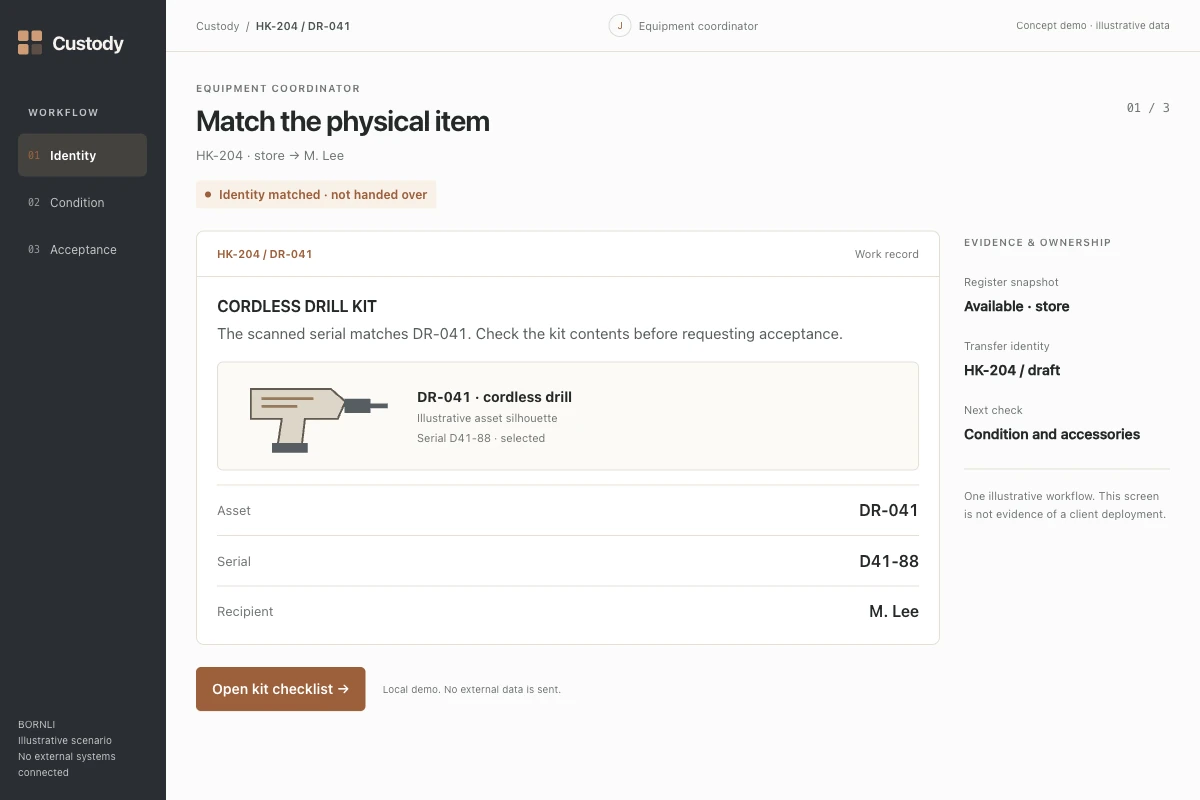
BORNLI concept demo — illustrative scenario. A coordinator prepares transfer HK-204 for a cordless drill, asset DR-041, serial D41-88. The recipient is M. Lee. All names, records and equipment data in this example are fictional.
The first screen matches the scanned serial to the selected asset. That confirms identity only. It does not say the kit is complete, the item is undamaged or the recipient has taken it. Show the asset tag and serial together so the coordinator can catch a label attached to the wrong item.
In a custom workflow, reject an unknown code instead of silently creating a new asset. If the register says another person already holds DR-041, stop for a custody check. A cached “available” state should be visibly dated and rechecked before the final register update. Keep HK-204 as the same transfer throughout the process.
Record what is actually being handed over
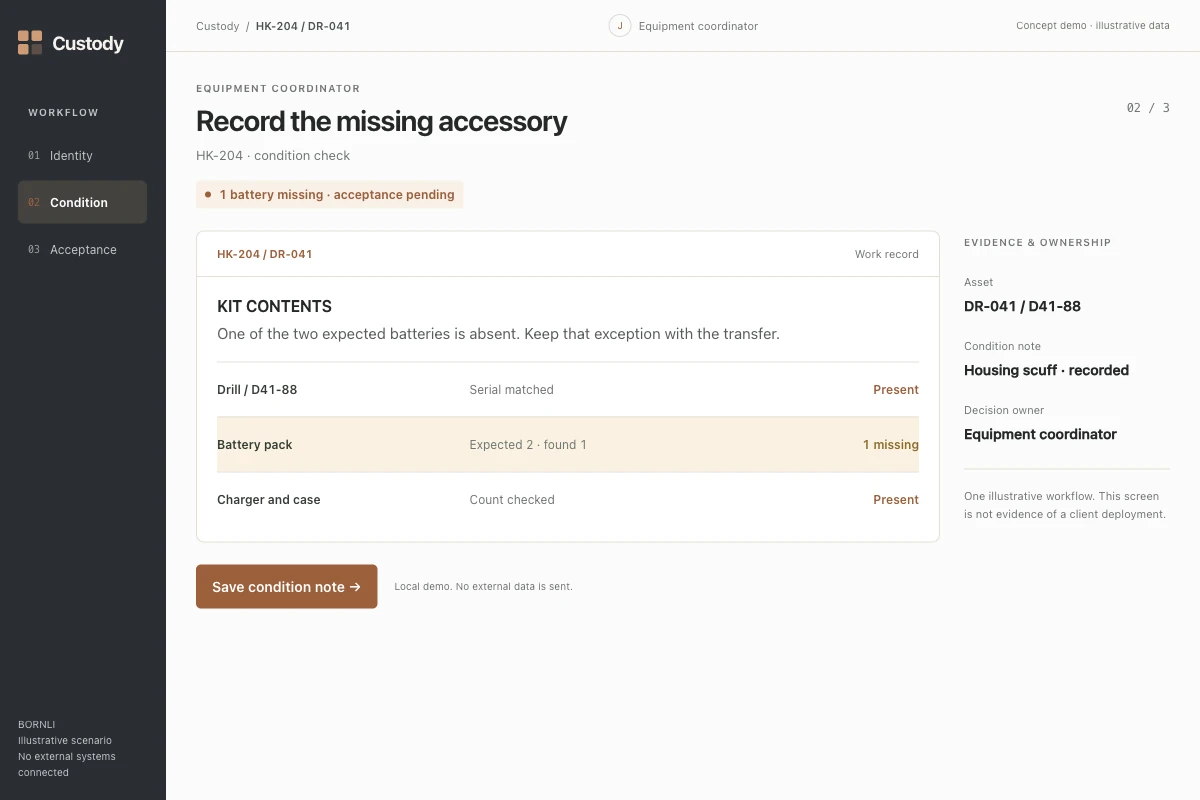
The kit should contain two batteries; the coordinator finds one. The second screen preserves both counts and the missing-battery exception. A housing scuff is recorded separately. The person receiving the kit needs to acknowledge the actual condition, not a generic “all items received” checkbox.
Agree the operating rule before building: may a coordinator hand over an incomplete kit with a note, or must a supervisor resolve it first? In this illustrative scenario, acceptance with a recorded exception is permitted. That choice is a proposed workflow rule, not a universal policy. The app does not infer who caused the loss or charge anyone for it.
Attach condition evidence to this transfer and asset, with the person who recorded it and a timestamp. A useful photo should show the relevant item or defect. Decide who can view it and how long it should be kept. If a photo is still uploading, show that state; do not quietly drop it while marking the evidence complete.
Separate recipient acceptance from inventory confirmation
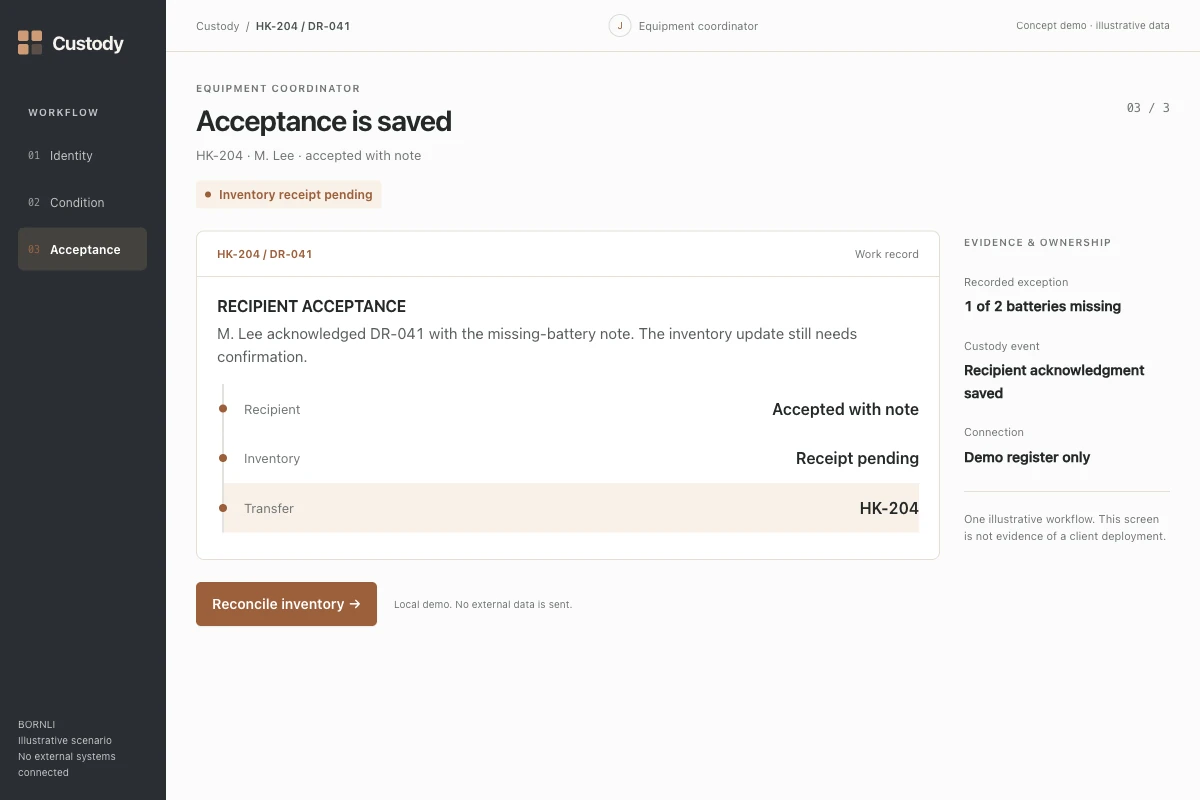
M. Lee acknowledges DR-041 with the missing-battery note. The third screen shows that acceptance while the inventory receipt is still pending. These states answer different questions: did the recipient accept this item, and has the central register recorded this transfer?
A proposed offline mode should preserve the accepted version and make the pending synchronization visible. It should not invent a server receipt. When connectivity returns, recheck custody and submit the same transfer identity. If the destination’s reply is lost, look for the existing receipt before attempting another write. The local demo can reconcile HK-204 to illustrative receipt A-617; no external inventory system is connected.
A conflicting owner, changed asset version or destination that cannot reliably find the transfer belongs in a coordinator’s review queue. Treating every retry as a new checkout would make the custody history harder to trust. A later return should be a new event linked to the accepted handover, with its own condition record.
Test one handover route before replacing the register
Start with one asset category, one location and one receiving team. Keep the existing register as the agreed source of custody unless the project explicitly changes that responsibility. Bring sample asset records, a normal receipt and a disputed or incomplete-kit example with personal details removed.
- Scan the right label on the wrong item and confirm that the serial mismatch can be caught.
- Record one missing accessory and check that the recipient sees the exception before accepting.
- Lose connectivity after acceptance; confirm that the accepted record survives and remains visibly unsynchronized.
- Repeat the submission and simulate a lost reply; verify one destination transfer or an explicit review state.
- Change the recorded owner during the handoff and test the coordinator’s resolution path.
Measure incomplete handover records, time spent resolving custody questions and the age of pending synchronizations. The concept makes no claim of measured savings or reduced losses. Its purpose is to make the first release and its acceptance checks concrete. The build-or-buy guide can help decide whether that release belongs in an existing system or a custom mobile layer.
Map the workflow before building it.
Tell us what your team handles manually, which tools you use, and where the process gets stuck. Start by email.
Discuss your workflow ↗