BORNLI / product decisions
Who keeps your automation working after launch?
A workflow can run successfully and still leave a task unfinished. Support needs an owner, evidence of the destination state and a controlled way to change the system.
What belongs in an AI automation maintenance plan?
An AI automation maintenance plan should cover failed deliveries, expired connections, changes to business rules and changes to the model or prompts. Agree who notices an issue, who can repair it, what may be retried and how the business can continue manually. A monthly subscription with no defined responsibilities does not answer those questions.
This guide is for teams with an existing workflow, not a proposal to automate every process. First inventory the automations you rely on, their destinations and their owners. Some problems need a repaired connection or a clearer rule rather than a new AI feature.
Zapier’s replay documentation illustrates why recovery needs care: replaying an entire run repeats completed steps, uses the currently published workflow and counts successful steps toward task usage again. Its autoreplay does not cover safely halted runs. These are Zapier-specific behaviors, checked November 11, 2026, not guarantees about every automation platform.
What should the support owner see first?
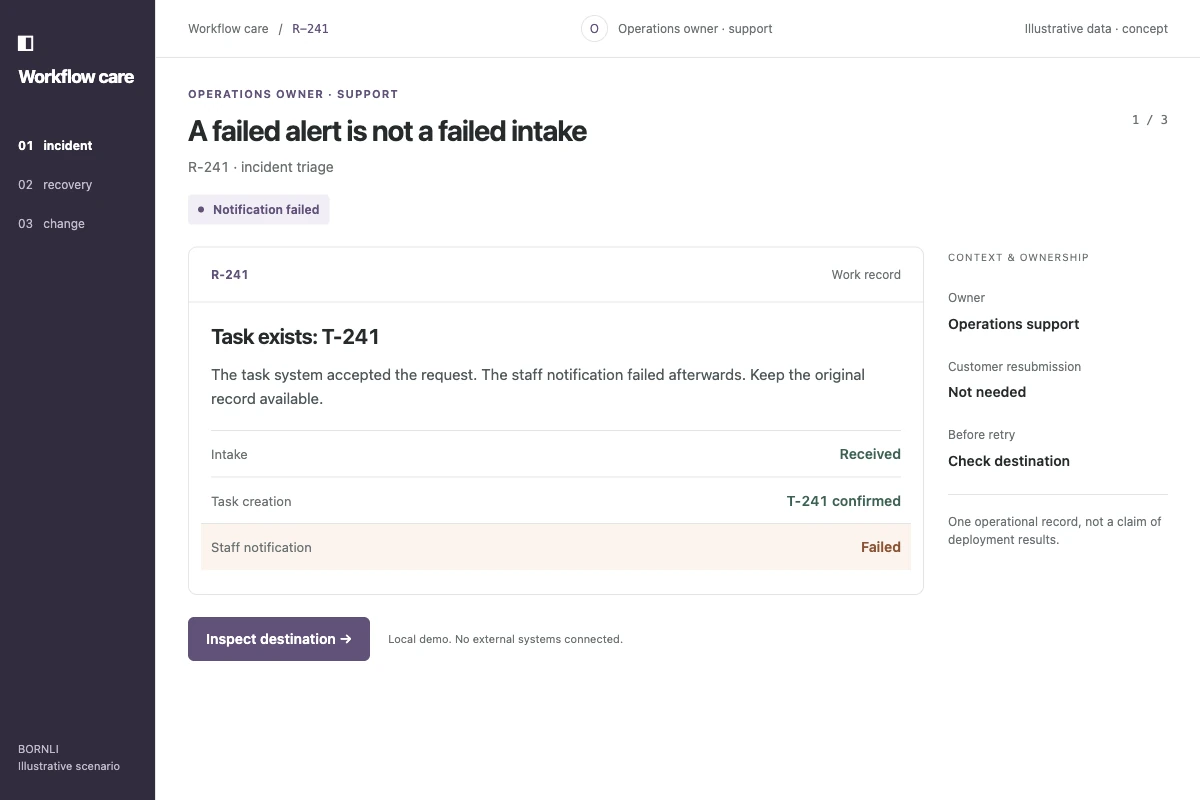
BORNLI illustrative scenario. An intake workflow has run R-241. The task system accepted ticket T-241, but the staff notification failed. The incident queue identifies the failed step and its owner. The original request is still available; nobody needs to ask the customer to submit it again.
The concept separates “task created” from “staff notified.” A generic red failure badge would hide that distinction. Before recovery, the operator checks the destination record and records what is known, unknown and safe to repeat. This local demo has no live customer data or external connections.
When is an automatic retry safe?
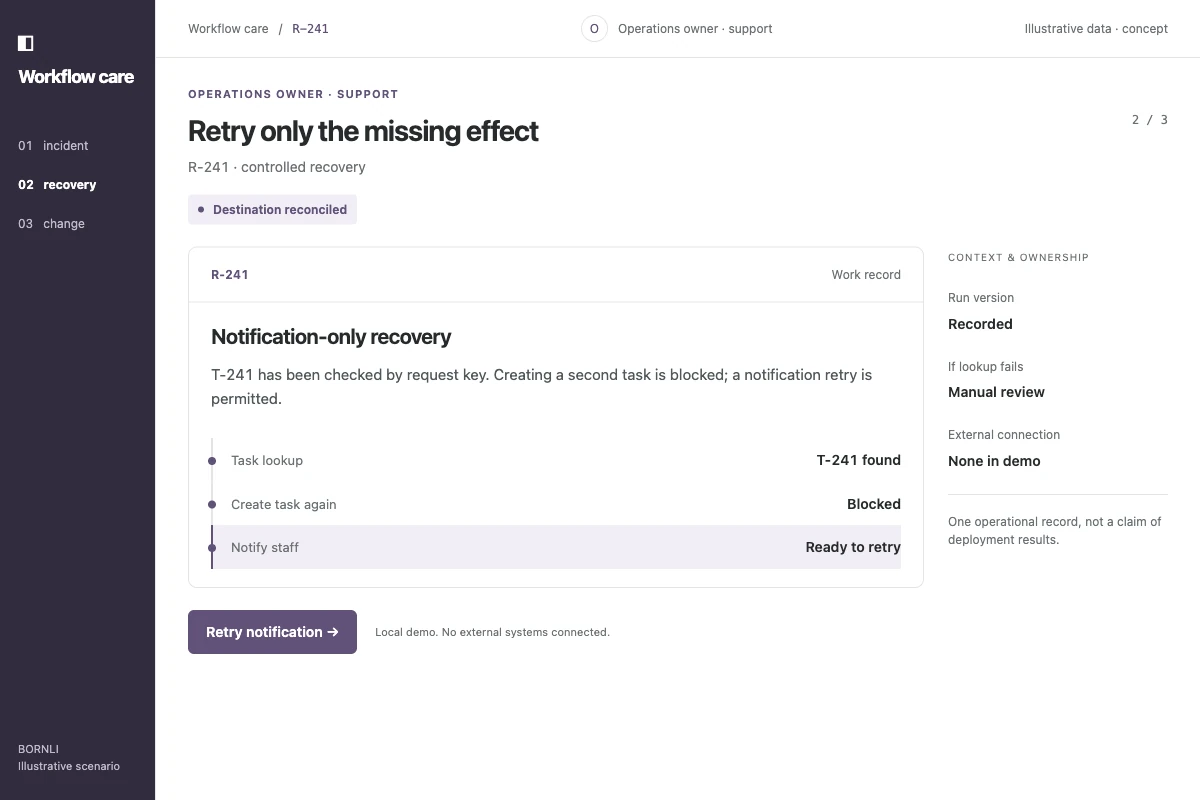
For R-241, the operator reconciles T-241 by its request key. A notification-only retry is then allowed; creating another task is blocked. The recovery record stores the attempted action, destination receipt and the person who approved the exception. If the destination cannot be checked, the run stays unresolved for manual review.
This is an implementation pattern to validate for the chosen integration, not a universal “exactly once” promise. Some APIs lack idempotency keys or reliable lookups. In those cases, support needs an explicit reconciliation procedure and a human decision before repeating an action with business consequences.
How should changes enter a working workflow?
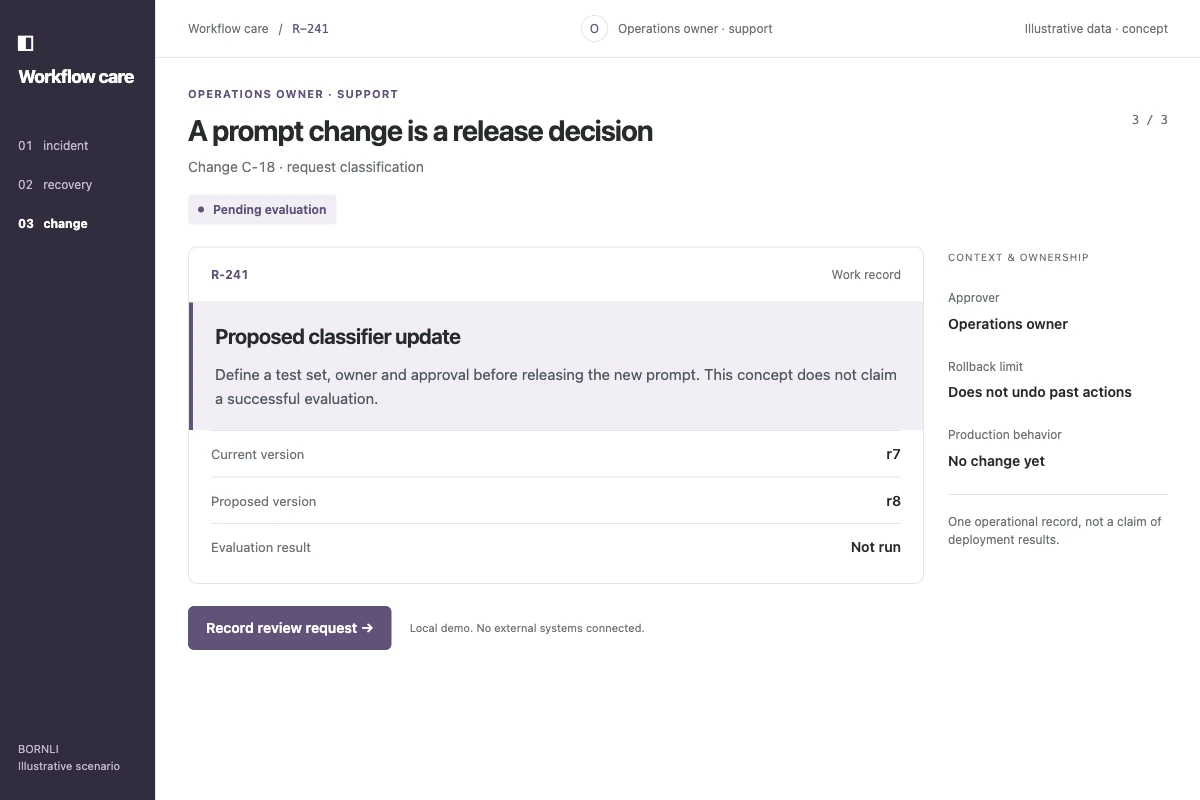
Change C-18 proposes a new prompt for classifying requests. The support record names an owner, the current release, a test set and a decision date. The concept leaves the change pending: it does not display an invented successful evaluation. Existing requests continue under their recorded version until the team approves a migration.
Rollback is not the same as undoing completed actions. Restoring an earlier prompt cannot remove a ticket already sent or retract an email. Document which effects can be reversed, which need a compensating action and which must be handled manually. Keep test examples separate from current customer records.
What should a support agreement actually specify?
Put the responsibilities in a short operational checklist:
- Coverage: named workflows, destinations, operating hours and a backup contact.
- Incidents: severity definitions, acknowledgement targets and escalation. Do not confuse acknowledgement with guaranteed resolution.
- Changes: what maintenance includes, what becomes separately scoped development, and who approves production releases.
- Costs: provider charges, model usage, monitoring and human review. Set alert thresholds against your actual baseline.
- Exit: access ownership, workflow exports, current runbooks and unresolved incident records.
The example establishes no support price or availability commitment. A quote depends on integration count, access constraints, business impact and required coverage. After launch, measure unresolved incidents, repeat failures, recovery time and operator work across comparable periods. A quiet alert dashboard alone is not evidence that every request reached its destination.
For a review, bring a workflow diagram and one redacted failure record. If the process has not launched yet, begin with pilot scope and acceptance. If incoming requests are still copied manually, see our inquiry-routing example before designing ongoing support.
Map the workflow before building it.
Tell us what your team handles manually, which tools you use, and where the process gets stuck. Start by email.
Discuss your workflow ↗