BORNLI / product decisions
A manufacturing quality inspection app that keeps failed checks open
A manufacturing quality inspection app should connect a measurement to the exact part, lot and inspection plan. When a check fails, it should preserve the evidence, route a hold and require a separate disposition decision before the lot is released.
Put the mobile workflow beside the quality system
A manufacturing quality inspection app is useful when inspectors capture measurements on the shop floor, while holds and release decisions live elsewhere. Its job is to carry complete evidence between those steps. It should not turn a checked box into permission to ship.
Start with the system already responsible for quality. Microsoft Dynamics 365 documents quality orders linked to production orders and route operations, with test groups and recorded results. Configure those capabilities first if they cover the job. A custom interface makes more sense when the gap is a specific mobile task, offline work or a difficult handoff.
Check the integration boundary carefully. Microsoft’s quarantine documentation says that quarantine-order processing with warehouse management processes applies only to return sales orders. Do not assume that a production hold maps directly to that feature. The quality and inventory owners must agree which record actually prevents use or shipment.
The following is a BORNLI concept demo with fictional production data. Its measurements, tolerances and sample size explain an interface; they are not an approved inspection plan, sampling standard or client result. Quantity reconciliation is a separate job, covered in our cycle-counting app guide.
Capture the measurement and the rule it was checked against
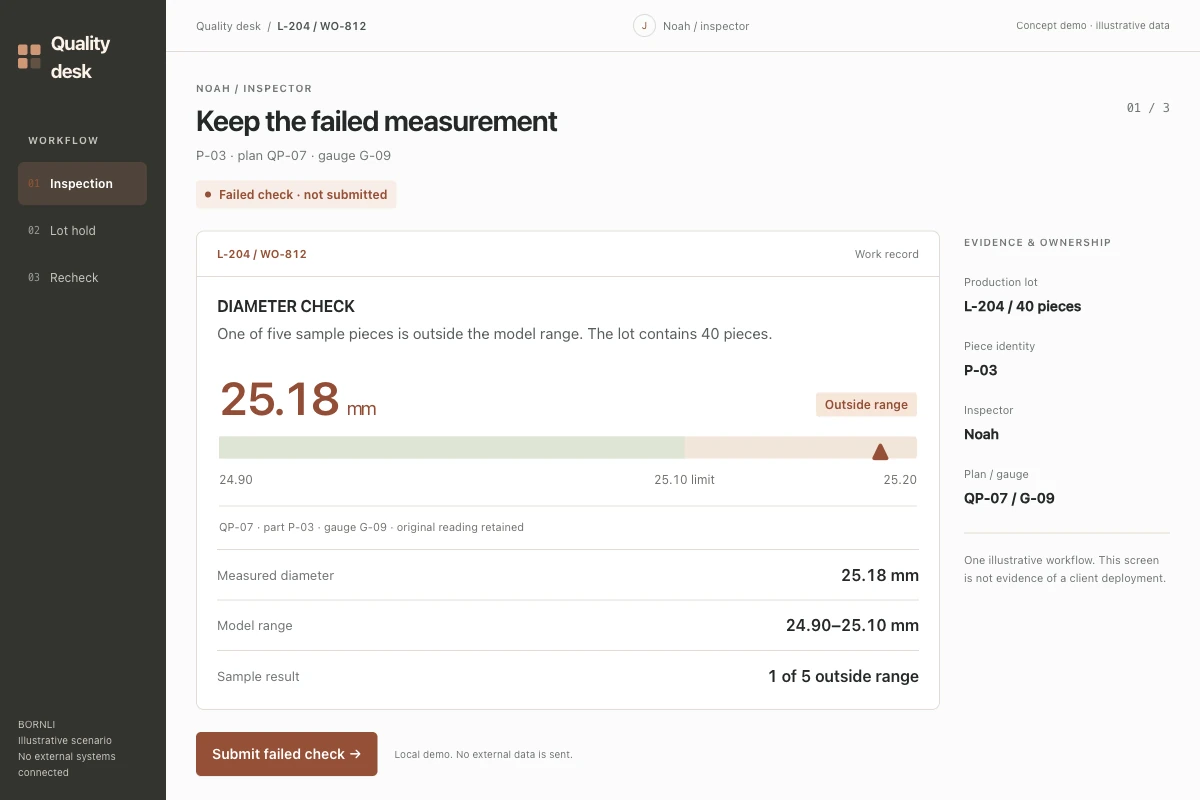
In the illustrative scenario, inspector Noah checks part P-03 from lot L-204, linked to production job WO-812. The approved plan in this example is version QP-07. Its demonstration diameter range is 24.90–25.10 mm. The recorded value is 25.18 mm, outside that range.
The record includes the gauge ID, unit, inspector, timestamp and plan version. Keep the original value even if a later measurement differs. If the plan has changed since the inspector downloaded it, stop submission for review instead of silently applying a new tolerance to an old reading.
- Part identity: tie the reading to P-03 and lot L-204, not just a product name.
- Measurement context: retain the 25.18 mm value, gauge G-09 and QP-07 version.
- Sample scope: one of five inspected pieces is outside the illustrative range; that does not establish that all 40 pieces in the lot are defective.
- Next action: submit the failed check and request a quality decision, without editing the result to make it pass.
A failed check and a confirmed hold are different states
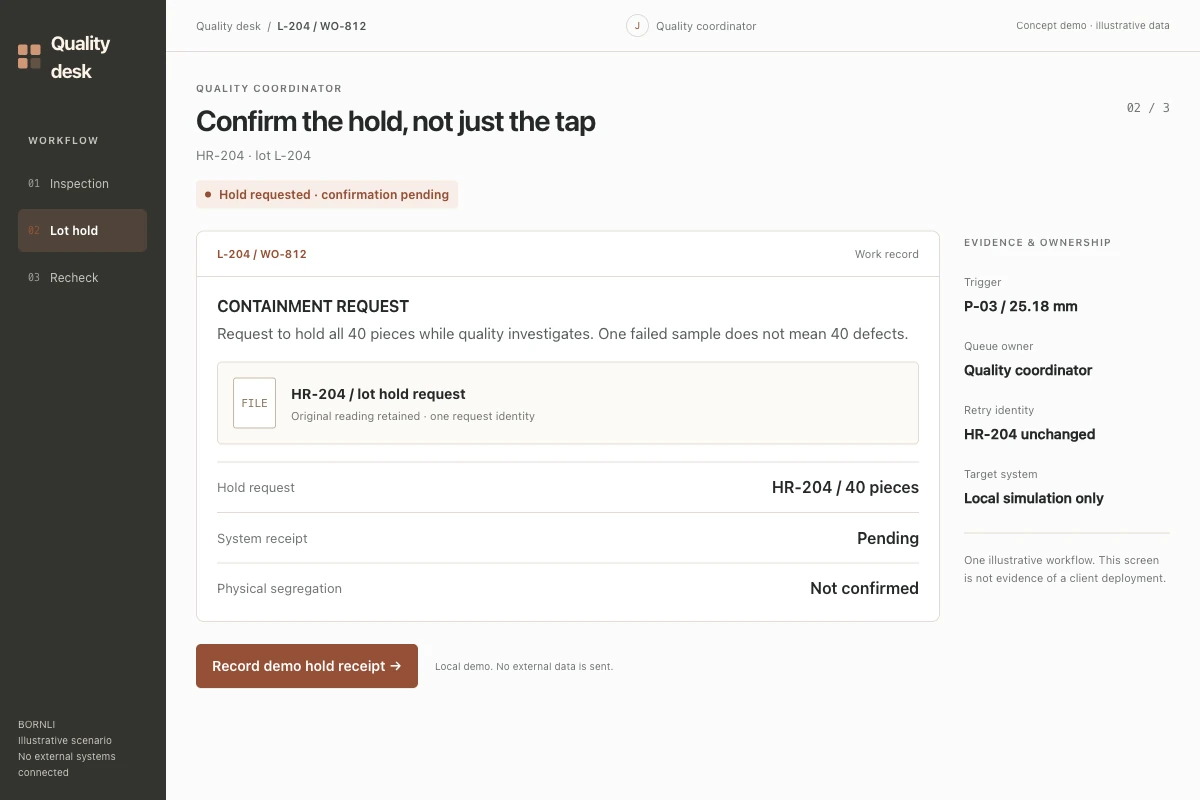
The example routes a request to hold all 40 pieces while the quality team investigates. That is a proposed containment decision, not a conclusion about every piece. The app should show who requested it and which system must acknowledge it.
Before acknowledgment, display Hold requested — confirmation pending. A green local success message would be misleading if the inventory system still allows the lot to move. Once the target system returns hold record H-204, the app can show that receipt. Physical segregation, if the procedure requires it, needs its own confirmation; a software acknowledgment does not prove that someone moved or tagged the stock.
If connectivity fails, keep the inspection and hold request in a visible queue. Follow the site’s existing containment procedure while the system status is unresolved. Retry the same request identity, rather than generating a second hold every time the inspector taps the button. Escalate rejected or stale requests to a named owner.
Preserve the failed reading after a passing recheck
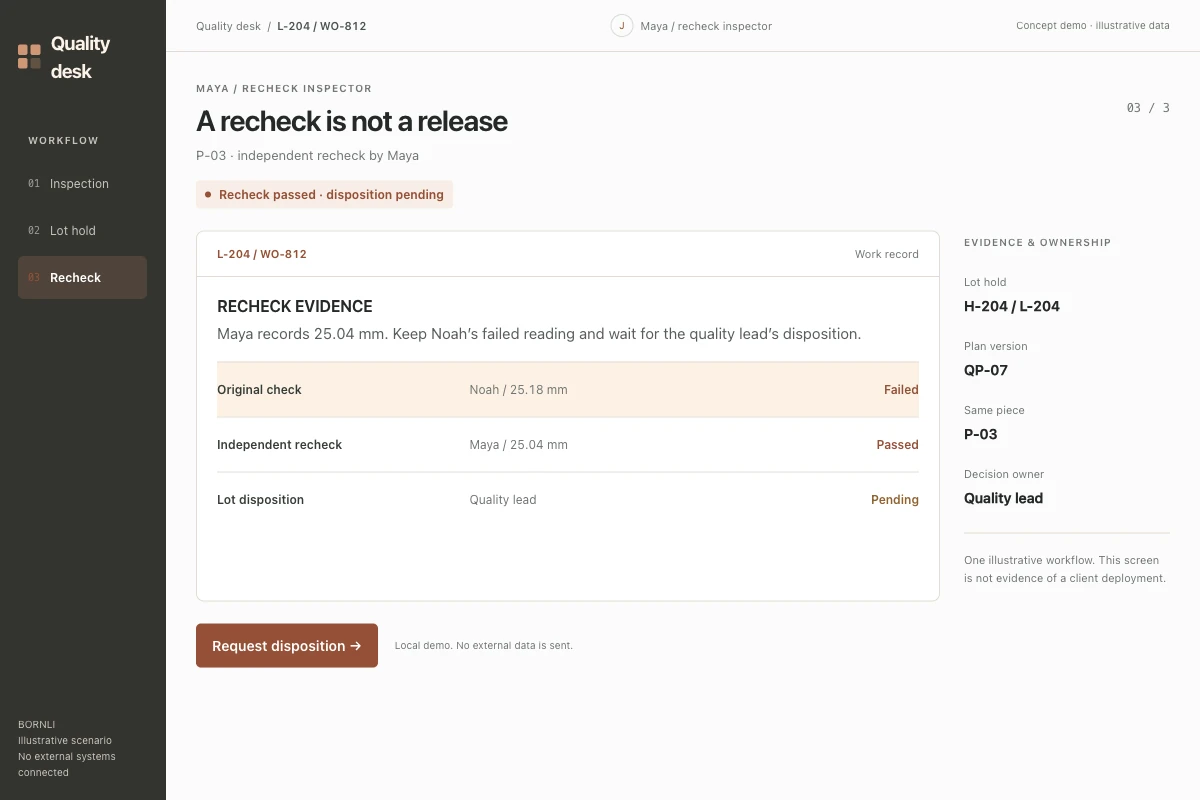
In the next state, a different inspector, Maya, records a recheck of P-03 at 25.04 mm. The screen keeps Noah’s original 25.18 mm reading next to it. A passing recheck is evidence for review; it does not erase the first failure or release all 40 pieces.
The quality lead still needs the investigation, any required additional checks and the authorized disposition. The app can route a Recheck passed — disposition pending record, then wait for the decision from the responsible system. Keep the release permission separate from the ability to enter measurements.
This distinction is also useful when a gauge was unsuitable, a value was mistyped or a different part was measured. Record the correction and its reason as a new event. Do not overwrite the original evidence or allow the person entering a recheck to grant themselves release authority.
Test one inspection plan before adding the whole factory
Scope the first version to one production operation, one inspection plan and one quality-system connection. Agree the source of part IDs, who owns tolerances, how gauges are validated, which roles can request holds and who can authorize disposition. A phone screen cannot compensate for an undefined quality procedure.
Use a small, representative set of historical and deliberately difficult examples. Test an outdated plan, an unknown gauge, a wrong lot, two people editing the same check, offline submission and a target system that times out after accepting the request. The acceptance test should prove that original readings survive and one accepted hold remains one hold after a retry.
Measure complete inspection records, time spent resolving missing evidence, unacknowledged hold requests and time to an authorized disposition. Compare similar operations and include review effort. A shorter form-completion time alone does not demonstrate better product quality or fewer defects.
If the existing QMS already supports this flow, configuration may be the better route. If a mobile handoff remains the bottleneck, bring a blank inspection sheet, an example exception and the target system’s available integration details. We can use those to define a bounded app workflow; scope, integration work and acceptance criteria determine the estimate.
Map the workflow before building it.
Tell us what your team handles manually, which tools you use, and where the process gets stuck. Start by email.
Discuss your workflow ↗